Showing posts with label Facebook. Show all posts
Sunday, March 4, 2012
Saturday, March 3, 2012
0 First Social Network app “Renren” Released for Windows 8
Its been a couple of days for the Windows 8 consumer preview release and the Windows Store which features Metro apps which run on Windows 8 Consumer Preview.
We have been seeing some quality apps making their way to the Windows Store, with the likes of Photobucket and Kobo reader apps and some Metro based gaming titles featuring in the Windows Store upfront.But there wasn’t any social networking app for taking for the Consumer Preview users,Until now.The first Social Networking app to make it to the Windows Store is “Renren HD” app from the Chinese Social Networking Site Renren,.
Checkout the Press Release Here
With the flurry of apps coming to Windows Store even before the official Final release of Windows 8 which is expected to be released in the second half of the year,it means that by the time the final version comes the store will have a strong app base for the consumers who will buy the final version as well as the upcoming tablets and laptops.Renren HD is designed to be fully-integrated with Windows 8, a generational change on Microsoft’s flagship operating system. Through “share contract”, a range of content from different applications can be shared at a single click, including web pages, pictures and videos. Customized for Windows 8, which focuses on integration with social networks and optimized for tablet usage, Renren HD has adopted features such as tiled Metro-style user interfaces and creative content delivery, resulting in a significantly enhanced user experience.
Checkout the Press Release Here
Wednesday, January 11, 2012
0 4 Things To Do Immediately When Your Facebook Account Is Hacked
For most people, having their Facebook account hacked is a nightmare. Imagine if someone had access to all your private messages, could contact your friends, abuse your Facebook page, and delete your personal information. To avoid this, you should regularly update your password and keep other security settings tight.
Once it’s too late, however, you must act fast. The most important thing is – don’t panic! You canregain access to your account.
How Do You Know Your Facebook Account Was Hacked?
First of all, how do you know your Facebook account was hacked if nothing obvious was changed…yet? If a hacker managed to get into your account, they will leave a trace. While their session is active, it will be listed under > Home (top right corner) > Account Settings >Security > Active Sessions (click edit). Here you can end the activity of suspicious sessions.
It is recommended that you enable Login Approvals for logging in from unrecognized devices. For increased security, you should also set app passwords.
1a. Change Your Password
In case your password was not changed you got lucky! This is the time to update your password! Be sure to end any suspicious active sessions first (see above), then go to >Home > Account Settings > General and click > Password to confirm your current password and then enter a new password.
When you’re done, review our articles regarding Facebook security (see resources below) and see what other measures you can take to secure your account.
From here, proceed to step 3 if you think that your account was abused.
1b. Reset Your Password
If your password was changed, act quick! Try to regain access. There is a > Forgot your password? link underneath the Facebook login.
If you’re not sure whether the person that hacked your account was smart enough to change your profile information, you should go with the last option and enter your name and that of a friend. This will give you an idea of which information is currently added to your account.
If you don’t have access to any of the email accounts or to the phone number associated with your account, click the > No longer have access to these? URL. This will take you to a page where you can enter a new email address, which Facebook will then use to assist you in recovering your account.
This is not all. If you believe that your account was abused by the person who has access to it, proceed to step 2.
2. Report Compromised Account
If your account wasn’t simply hacked, but is sending out ads and spam to your friends, you must report it as compromised.
From here, immediately proceed to step 2.
3. Do Damage Control
After doing everything you could to regain control over your hacked Facebook account, inform your friends about what is going on, just in case the hacker has abused or currently is abusing your account. If you presently can’t access your account, contact your Facebook friends through other social networks, by email, or have a mutual friend inform them via Facebook. Once you can log in again, proceed to step 3.
4. Remove Suspicious Applications
Oftentimes, it’s not an evil person that randomly hacked into your account. More likely than not you granted access to a malicious application which subsequently hijacked your account. To remove suspicious applications, go to > Home > Account Settings > Apps and go through the list. Click the > X next to any application you wish to remove or click > Edit to change what the app can do.
Thursday, December 8, 2011
1 Facebook Reveals 2011′s Most-Popular Status Trends
Facebook status updates played a starring role in the evolution of the world’s largest social network in 2011.
As several major changes to status updates (increased character limits, for example) rolled out throughout the year, Facebook data scientists kept their eyes focused on tracking the trends among those status updates.
Facebook unleashed that research late Tuesday night in their end-of-year Memology list, which each Decembersince 2009 has helped users understand the most-popular topics, cultural trends and acronyms on the site.
Similar to what was popular on Twitter in 2011, high-profile deaths triggered (see image above) plenty of discussions among you and your friends. On Facebook, the death’s of Osama bin Laden, Steve Jobs and Amy Winehouse incited heavy activity in status updates.
“While it takes days of painstaking work to compile the data, it’s a rare chance to get an insight into what the world is talking about,” data scientist Eytan Bakshy told Mashable.
This year’s list also highlights the fastest-growing topic areas in news, entertainment and sports.
Most-Shared Articles:
This Mar. 15 New York Times interactive graphic compares satellite images of the damages of the Japan earthquake and tsunami.
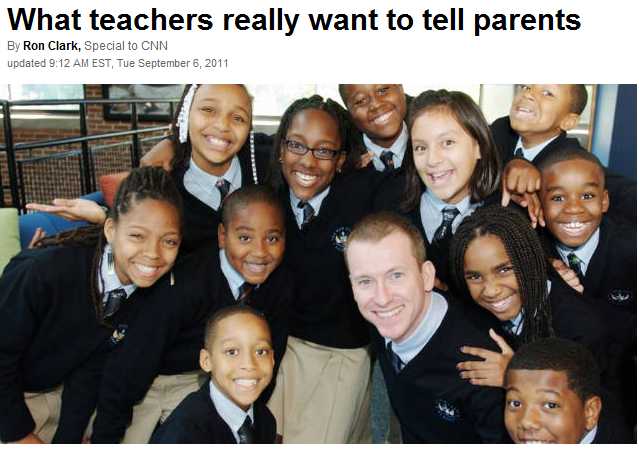
This Sep. 6 CNN story reveals that many teachers leave teaching because of their interactions with parents
This Jan. 13 CNN story addresses the scare earlier this year that the Zodiac signs had changed.
Movies:
1. Harry Potter
“Wands are only as powerful as the wizards who use them. Some wizards just like to boast that theirs are bigger and better than other people’s.”
2. The Twilight Saga
3. Toy Story
4. Avatar
5. Jackass
6. Shrek
7. Saw
8. Pirates of the Caribbean
9. Fast & Furious
10. Titanic
Acronyms:
Two acronyms gradually seeped into your repertoire as the year progressed: “lms,” which is short for “like my status,” and “tbh,” which expands to “to be honest.” Facebook says “lms” is its fastest-growing acronym. We’re confident that this viral video — “Like Mah Status” — played some part in the acronym’s usage growth on Facebook. To see me mash up the acronyms into one status update, check out my Facebook profile.
Musicians
1. Rihanna
2. Bob Marley
3. Avril Lavigne
4. David Guetta
5. Enrique Iglesias
6. Usher
7. Lady Gaga
8. Metallica
9. Green Day
10. Black Eyed Peas
Actors and TV Personalities
1. Megan Fox
2. Vin Diesel
3. Adam Sandler
4. Selena Gomez
5. Will Smith
6. Taylor Lautner
7. Jackie Chan
8. Ashley Tisdale
9. DJ Pauly D
10. Kim Kardashian
Fictional Characters
1. Dr. House
2. Dory
3. Patrick Star
4. Mr. Bean
5. Upin & Ipin
6. Bob Esponja
7. Mario
8. Doraemon
9. Ari Gold
10. Sue Sylvester (GLEE)
Athletes
1. Leo Messi
2. Cristiano Ronaldo
3. John Cena
4. Ricardo Kaka
5. David Beckham
6. Michael Jordan
7. Sachin Tendulkar
8. Andres Iniesta
9. Kobe Bryant
10. Cesc Fàbregas
Sports Teams
1. FC Barcelona
2. Real Madrid C.F.
3. Manchester United
4. LA Lakers
5. Chelsea Football Club
6. Liverpool FC
7. A.C. Milan
8. Arsenal
9. Galatasaray
10. Fenerbahce
News Outlets
1. CNN
2. Fox News
3. NPR
4. The Onion
5. The New York Times
6. Al Jazeera Channel
7. Yahoo! News
8. The Times of India
9. BBC World News
10. PBS
Labels:
Facebook
Subscribe to:
Posts (Atom)